Introduction
DIT Course in Multan Pakistan is one of the most in-demand IT diploma programs for students who want to build a strong foundation in computer technology and digital skills. If you are looking for a professional IT diploma in Multan, this course offered by United College of Technology (UCT) provides practical training, expert supervision, and career-focused learning.
This well-structured Diploma in Information Technology (DIT) program is designed to equip students with modern IT skills including web development, graphic designing, MS Office, WordPress development, and more. The course duration is 6 months with an affordable fee of Rs. 45,000.
Course Overview
The DIT Course in Multan Pakistan is a complete professional diploma program divided into two semesters. It focuses on both technical knowledge and practical implementation.
Duration:
- 6 Months (Two Semesters)
Total Fee:
- Rs. 45,000
Class Timings:
- Morning & Evening Classes Available
Practical Learning:
- Daily practical-based training
- Supervision under experienced teachers
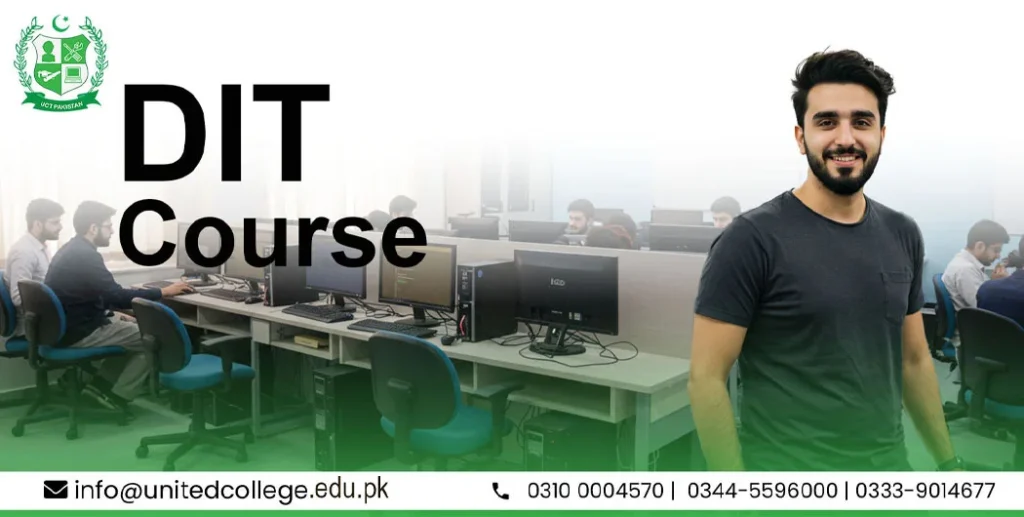
- Multimedia computer lab facility
- Internship opportunity (including Drone course internship support)
Why Choose DIT Course in Multan Pakistan?
Choosing DIT Course in Multan Pakistan is a smart decision because:
- High demand for IT professionals in Pakistan and abroad
- Short duration with complete skill coverage
- Affordable fee structure
- Practical-based training
- Career-oriented curriculum
- Suitable for students, job seekers, and freelancers
This course helps students develop strong digital literacy, computer proficiency, and professional IT skills.
Why Choose United College of Technology (UCT)?
United College of Technology is known for quality IT education in Multan. Here’s why students prefer UCT:
- Experienced and qualified instructors
- Modern multimedia computer labs
- Practical training environment
- Career counseling support
- Internship opportunities
- Affordable fee structure
- Professional certification
UCT focuses on skill development rather than just theory, making students job-ready.
Semester 1
Touch Typing
Touch typing training helps students master typing in English without looking at the keyboard. Students learn:
- Proper finger placement
- Speed improvement techniques
- Accuracy development
- Professional typing standards
This improves productivity and office efficiency.
MS Office
Students are trained in three major Microsoft Office applications:
MS Word
- Document formatting
- Resume creation
- Letters and reports writing
- Page layout and styling
MS Excel
- Data entry and management
- Formulas and functions
- Charts and graphs
- Basic data analysis
PowerPoint
- Professional presentations
- Slide design
- Animations and transitions
- Business presentation skills
Graphic Designing
Students learn professional design tools used worldwide.
Adobe Photoshop
- Image editing
- Photo retouching
- Poster and banner design
- Social media graphics
Adobe Illustrator
- Logo design
- Vector illustrations
- Branding materials
CorelDRAW
- Print media design
- Business cards and brochures
- Flex and banner designing
Canva
- Online graphic design
- Quick social media posts
- Marketing materials
Urdu InPage
- Urdu typing
- Urdu newspaper layout
- Urdu content formatting
Semester 2
Web Designing
Students learn modern web design technologies:
HTML
- Structure of websites
- Creating web pages
- Tags and elements
CSS
- Styling web pages
- Colors, fonts, layouts
- Responsive design basics
Bootstrap 5
- Responsive web design framework
- Mobile-friendly websites
- Ready-made components
Basic JavaScript
- Website interactivity
- Form validation
- Basic scripting concepts
Web Development & WordPress Designing
Introduction to WordPress
- What is WordPress
- Dashboard overview
- Themes and plugins
WordPress Development (CMS)
- Content management system basics
- Customizing themes
- Installing plugins
- Website customization
E-Commerce Website Development
- Online store setup
- Product listing
- Payment integration basics
- WooCommerce introduction
Business Website Development
- Corporate website creation
- Service pages
- Contact forms
- Portfolio design
Blogging
- Blog setup
- SEO-friendly content publishing
- Monetization basics
- Digital marketing introduction
Skills You Gain (Technical & Practical Skills)
Technical Skills
- Computer fundamentals
- Graphic designing
- Web designing
- WordPress development
- MS Office expertise
- Basic programming concepts
Practical Skills
- Real-world project development
- Freelancing skills
- Client communication
- Problem-solving abilities
- Portfolio development
Daily Practical-Based Learning System
- Daily hands-on practice
- Teacher supervision during practical sessions
- Real-time project work
- Multimedia computer lab access
- Internship opportunities including drone course internship support
- Morning & evening flexible classes
Career Opportunities After DIT Course
After completing the DIT Course in Multan Pakistan, students can work as:
In Pakistan:
- Computer Operator
- Graphic Designer
- Web Designer
- WordPress Developer
- Office Assistant
- Freelancer
Abroad Opportunities:
- IT Support Assistant
- Web Developer
- Graphic Designer
- Data Entry Operator
- Digital Marketing Assistant
This diploma opens doors to both local jobs and international freelance markets.
Why Should You Join This Course?
- High-demand IT skills
- Short 6-month duration
- Affordable fee (Rs. 45,000)
- Practical training
- Internship support
- Professional certification
- Career growth opportunities
If you want to start your IT career quickly, this is the perfect choice.
Certification Details
After successful completion of the DIT Course in Multan Pakistan, students receive a professional diploma certificate from United College of Technology. This certification:
- Enhances your CV
- Increases job opportunities
- Valid for private sector jobs
- Helpful for freelance platforms
Course Outline
The DIT Course in Multan Pakistan is divided into two semesters, designed to move students from basic computer skills to professional-level IT expertise. Each topic includes short, clear details to explain what students learn.
Semester One
Touch Typing
Touch typing focuses on improving typing speed and accuracy in English without looking at the keyboard. Students learn correct finger placement, typing techniques, and daily practice methods to achieve professional typing speed, which is essential for office and IT jobs.
MS Office
MS Office training helps students become efficient in office and administrative tasks.
MS Word
Students learn how to create professional documents such as letters, resumes, reports, and assignments. Training includes formatting, page layout, tables, headers, footers, and document styling.
MS Excel
This module teaches data management skills. Students learn how to use formulas, functions, tables, charts, and basic data analysis for office and business use.
MS PowerPoint
Students learn to create professional presentations using slides, animations, transitions, charts, and visuals for business meetings, seminars, and academic use.
Graphic Designing
Graphic designing builds creative and professional design skills using industry-standard tools.
Adobe Photoshop
Students learn image editing, photo retouching, background removal, poster design, and social media graphics creation.
Adobe Illustrator
This module focuses on vector-based designs such as logos, icons, illustrations, and branding materials with high-quality output.
CorelDRAW
Students learn print media design including business cards, brochures, flex banners, and promotional materials.
Canva
Canva training focuses on quick and easy online graphic design for social media posts, advertisements, presentations, and marketing content.
Urdu InPage
Students learn Urdu typing, newspaper-style layouts, book formatting, and professional Urdu document creation.
Semester Two – Web & Professional Development Skills
Web Designing
Web designing teaches how to create visually attractive and responsive websites.
HTML
Students learn the structure of web pages, how to create content using tags, headings, images, links, and tables.
CSS
CSS is used to style websites. Students learn colors, fonts, layouts, spacing, and responsive design basics.
Bootstrap 5
Bootstrap helps students design mobile-friendly and responsive websites using ready-made components and grids.
Basic JavaScript
This module introduces basic programming concepts to add interactivity such as form validation, buttons, and simple dynamic functions on websites.
Web Development & WordPress Designing
Introduction to WordPress
Students learn what WordPress is, how it works, and how to manage websites using the WordPress dashboard.
WordPress Development (CMS)
This module covers theme customization, plugin installation, content management, and building complete websites without coding.
E-Commerce Website Development
Students learn how to create online stores, add products, manage categories, understand payment systems, and use WooCommerce basics.
Business Website Development
This topic focuses on developing professional business and corporate websites including service pages, contact forms, portfolios, and company profiles.
Blogging
Students learn how to create blogs, write SEO-friendly content, manage posts, and understand monetization and digital publishing basics.
Practical Learning Environment
- Daily practical-based training
- Experienced teachers’ supervision
- Multimedia computer lab
- Real-time projects
- Internship opportunities (including drone course internship support)
- Morning & evening class options
Conclusion
In conclusion, the DIT Course in Multan Pakistan is an ideal choice for students who want to build a strong career in the IT field within a short time. This 6-month diploma offers a perfect balance of technical knowledge and practical training, covering essential skills such as graphic designing, web designing, MS Office, and WordPress development. With experienced instructors, daily hands-on practice, modern computer lab facilities, and recognized certification, this program prepares students for employment and freelancing opportunities in both Pakistan and abroad. If you are looking for a career-oriented and affordable IT diploma, the DIT Course in Multan Pakistan is a smart and future-focused investment.